
www.logmein123.com login: Everything You Need to Know
Contents
If you’ve been told to visit www.logmein123.com to get remote tech support, it’s normal to wonder if the site is safe, or if you’re about to let a scammer take over your screen.
Here’s how the tool works, why it’s legitimate, and how to protect yourself.
What Is www.logmein123.com Login?
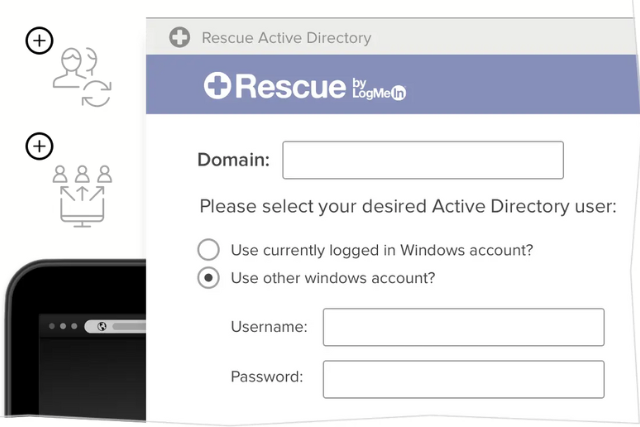
LogMeIn123.com is the customer entry page for LogMeIn Rescue, a remote support product that is now part of the GoTo family of products (GoTo is the company formerly known as LogMeIn). It lets a support technician connect to your computer to troubleshoot a problem.
Here’s how a typical session works. A technician gives you a 6-digit PIN code, you enter it at www.logmein123.com, then download and run a small support program called the Applet.
Once it connects, the technician can chat with you and request access to your screen. When the job is done, either side can end the session.
The service is used by IT departments, software companies and hardware vendors to support their own users. The key point is that you enter the code and you approve the access.
Is It Safe to Use?
The website itself is legitimate. Each session needs a PIN the technician generates, and you are prompted to accept or decline a request to control your computer.
LogMeIn describes the access as permission-based, with the support applet removed automatically after the session ends.
That said, the risk isn’t in the website. It’s in who’s asking you to use it. Scammers pose as support agents from companies like Microsoft, Apple or Amazon and push people onto real remote access tools.
They may call you unexpectedly, claim your computer is infected, and urge you to “go to LogMeIn123.com right now.” This is where problems start.
How to Avoid Tech Support Scams
The FTC warns that legitimate tech companies don’t contact you by phone, email or text to report computer problems. Real security pop-ups also never ask you to call a phone number.
To protect yourself:
- Only use LogMeIn123.com when you’ve contacted a company for support, not the other way around.
- Confirm the technician’s identity by calling the company’s official support line.
- Pay close attention during the remote session and question anything that seems unnecessary or invasive.
Scammers may pretend to scan your computer, “find” malware and charge you to remove it. If something feels off, end the session right away.
What People Are Saying Online
In online discussions, the usual story is the same: someone is sent to the site by an employer’s IT team or a vendor’s help desk and wants to know if it’s real. The answer people give each other matches the rule above: LogMeIn123.com is safe when you started the support request with someone you trust.
Smart Tips for Safe Usage
A few steps help you keep control:
- Watch the technician’s actions throughout the session.
- End the session as soon as your issue is resolved. In the Applet, you can revoke permissions or close the session yourself.
- Be wary of anyone who asks for banking details or passwords during a session.
- If you think you dealt with a scammer, update your security software and run a scan, and change any password you shared, plus any account that uses the same one.
Are There Alternatives?
Yes, there are several reputable tools in the remote support space. Services like TeamViewer, AnyDesk, Microsoft Remote Desktop and Chrome Remote Desktop offer similar capabilities. The same rule applies: only grant access to people you know and trust.
Frequently Asked Questions
Can someone access my computer without my permission? Not through a standard LogMeIn123.com session. The technician needs a session PIN that you enter, and you are prompted to approve remote control.
Is it safe to download from LogMeIn123.com? Yes, provided the technician you’re working with is legitimate and you started the support request.
What if I get a random call from “tech support”? Hang up. Then contact the company directly using official contact information.
Do I need to uninstall the program afterward? The Applet removes itself automatically when the session ends. If anything else was installed during the session, ask why, and remove it if you don’t recognize it.
How do I know when the session ends? You can end it yourself by closing the session in the Applet window, or the technician can end it from their side.
Final Thoughts
www.logmein123.com is a legitimate remote support tool. Like any tool, it’s only as trustworthy as the person on the other end. If a random “tech support” agent calls you out of nowhere and insists you use it, think twice.
Your best defense is simple: stay alert, verify identities, and don’t hand over control to anyone you don’t trust completely.
Sources
- LogMeIn Rescue Technician Console User Guide, LogMeIn (GoTo)
- Secure Remote Computer Access, LogMeIn (GoTo)
- How To Spot, Avoid, and Report Tech Support Scams, Federal Trade Commission