
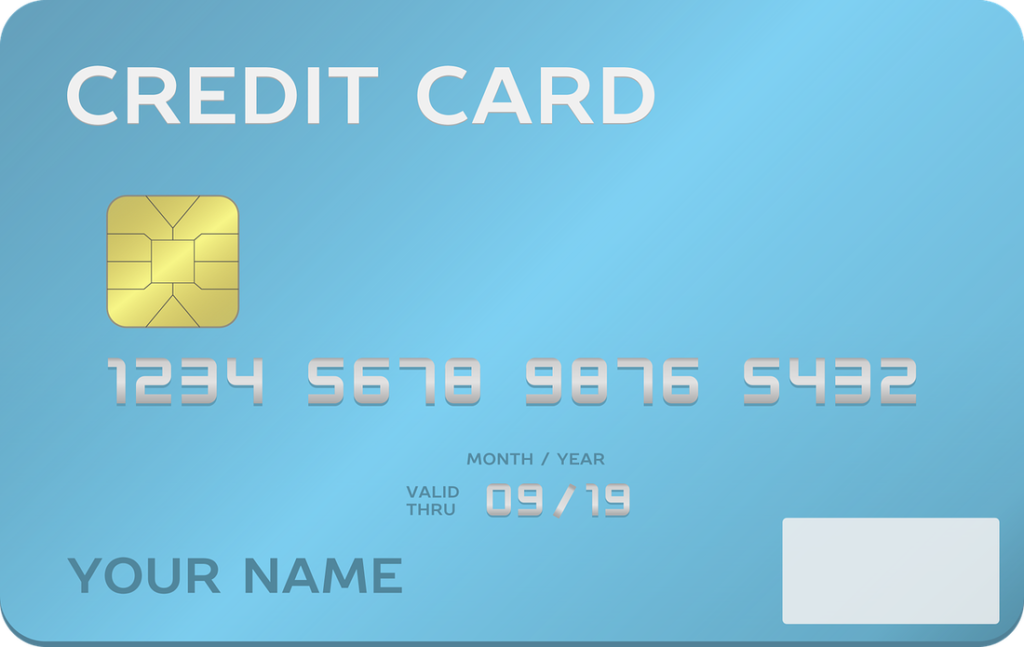
What Are All The Numbers On A Credit Card?
Contents
- Front Side of a Credit Card:
- 1. The Name of the Credit Card and Issuer
- 2. The Cardholder's Name
- 3. The Credit Card Number
- 4. EMV Chip
- 5. Date of Account Opening
- 6. Expiration Date
- 7. RFID Technology
- Back Side of a Credit Card:
- 1. Magnetic Strip
- 2. Signature Box
- 3. CVV Code
- 4. Customer Service Phone Number
- 5. Hologram Security Image
- 6. Other Information
- Conclusion
- Credit Card Anatomy FAQ:
- What is a credit card?
- What is a credit card number?
- Where can I find my CVV code?
- Sources
If you just got your first credit card, or are thinking about getting one, you may be wondering: what are all the numbers on a credit card? The anatomy of a credit card is pretty simple once it's explained, and we're here to do just that.
Front Side of a Credit Card:
On the front side of a credit card, most of the human-readable information is available. You'll see the following:
1. The Name of the Credit Card and Issuer
The issuer is the bank or company that gives you the card and manages your account. Its name usually appears at the top of the card, along with the card's product name.
Examples of issuers include Chase, Bank of America and Capital One. Store cards, such as those from Macy's or Home Depot, are usually issued by a bank partner. Every card also runs on a payment network, and the four major U.S. networks are:
- Visa
- Mastercard
- Discover
- American Express
American Express and Discover act as both network and issuer for many of their own cards. Visa and Mastercard do not issue cards themselves; banks issue cards on their networks.
You can only use the card where that network is accepted. Visa and Mastercard are the most widely accepted, while some merchants do not take American Express or Discover. For example, the Chase Sapphire Reserve is issued by Chase and runs on the Visa network.
2. The Cardholder's Name
This is the name of the person who owns the account, also known as the cardholder. It is usually on the front of the card, but some newer designs print it on the back.
3. The Credit Card Number
The credit card number identifies your account. Most Visa, Mastercard and Discover numbers are 16 digits, while American Express card numbers have 15 digits and begin with 34 or 37.
The number is not random. It follows the international ISO/IEC 7812 numbering standard: the first digits identify the network and issuer, the middle digits identify your account and the last digit is a check digit that helps catch typing errors. The number is also stored in the magnetic stripe and the chip.
4. EMV Chip
The EMV chip is how most in-person card payments in the U.S. now take place. Before chips, cardholders swiped the magnetic stripe on a card reader.
The chip is harder to copy than a magnetic stripe because it creates a unique code for each transaction. EMV stands for "Europay, Mastercard and Visa," the companies that developed the standard. U.S. law does not require chips, but the card networks shifted liability for some counterfeit-card fraud onto merchants that did not upgrade their terminals. There are several ways a chip transaction can be completed:
- Chip and Signature: you insert your card and may be asked to sign to complete the purchase.
- Chip and PIN: you insert your card and enter your PIN (personal identification number). In the U.S., this is most common with debit cards and at ATMs.
- Chip Only: you insert your card and no signature or PIN is required.
5. Date of Account Opening
Not all cards show this, but some do, sometimes on the back. It usually appears as "Member since" followed by a year. It isn't needed to make purchases, so most issuers leave it off.
6. Expiration Date
The expiration date is when the card itself stops working; your account stays open. Issuers usually mail a replacement card before the old one expires.
Expiration dates limit how long a stolen card number stays useful and make sure you get the latest security features. A replacement card often keeps the same card number but usually comes with a new security code. Activate the new card, then destroy the old one.
The expiration date is usually on the front, though some cards print it on the back. It is normally shown as a two-digit month and two-digit year (MM/YY). A card that expires in December 2028 would show 12/28.
7. RFID Technology
Many cards now support contactless payment, shown by a symbol of curved lines. A small antenna in the card uses radio frequency technology (near-field communication) so you can tap the card on a compatible reader instead of inserting or swiping it.
Contactless payments use a one-time code for each transaction, like chip payments. Because the card must be within a few centimeters of a reader, remote skimming is rarely a practical risk, though RFID-blocking wallets are available if you want extra peace of mind.
Back Side of a Credit Card:

The back side of a credit card contains important information that you'll use to make purchases (either online or in person) on the card.
1. Magnetic Strip
This is a stripe of magnetic material that stores your card number and expiration date in a machine-readable format. The card can be swiped through a terminal to read it.
The chip has largely replaced the stripe for in-person payments, but most cards still include one as a backup. Stripe data is easier for criminals to copy, and stripes can fail when they get scratched or worn.
2. Signature Box
Many cards include a signature panel so merchants can compare signatures. In practice it is rarely checked, and an unsigned card can still be used. Some cardholders write "See ID" there, hoping merchants will check identification.
Many merchants no longer ask for a signature at all, and some newer cards no longer have a signature panel.
3. CVV Code
The card verification value, or CVV, is a short security code used to fight fraud. The idea is that a criminal may have your card number but not the code unless they have the physical card. It is used mainly for online and phone purchases.
Visa, Mastercard and Discover use a 3-digit code on the back of the card. American Express uses a four-digit security code printed on the front of the card, above the card number.
4. Customer Service Phone Number
Most cards print a customer service phone number on the back. Use it for questions, to report a lost or stolen card, to report fraud or to access card perks. Saving the number in your phone means you can still call if the card goes missing.
5. Hologram Security Image
Some cards include a hologram meant to make counterfeiting harder. Many newer card designs have dropped it, and merchants rarely check it.
6. Other Information
Some issuers now use a minimalist design with a blank front. On these cards, the number, expiration date and security code may all be on the back, or only in the issuer's app.
Conclusion
We hope this article helps you understand the numbers on your credit card. As we said at the start, the anatomy of a credit card isn't complicated once you know what you're looking at.
Store your card somewhere secure, and report lost cards or suspicious charges to your issuer right away.
Credit Card Anatomy FAQ:
What is a credit card?
A credit card is a plastic or metal card that lets you borrow up to a set limit to make purchases. Your purchases are billed on a monthly statement. If you pay the full balance by the due date, you generally avoid interest on purchases during the grace period; any unpaid balance is charged interest.
What is a credit card number?
Your credit card number is usually 15 or 16 digits long. It identifies the card network, the issuer and your account. It is usually on the front of the card, but check the back if you don't see it.
Where can I find my CVV code?
On Visa, Mastercard and Discover cards, it is a 3-digit code on the back. On American Express cards, it is a 4-digit code on the front, above the card number. It adds a layer of security for online and phone purchases.
Sources
- What is a grace period for a credit card?, Consumer Financial Protection Bureau
- Credit cards key terms, Consumer Financial Protection Bureau
- Getting Started guide (card security features), American Express